
NEWS
08-18, 2026
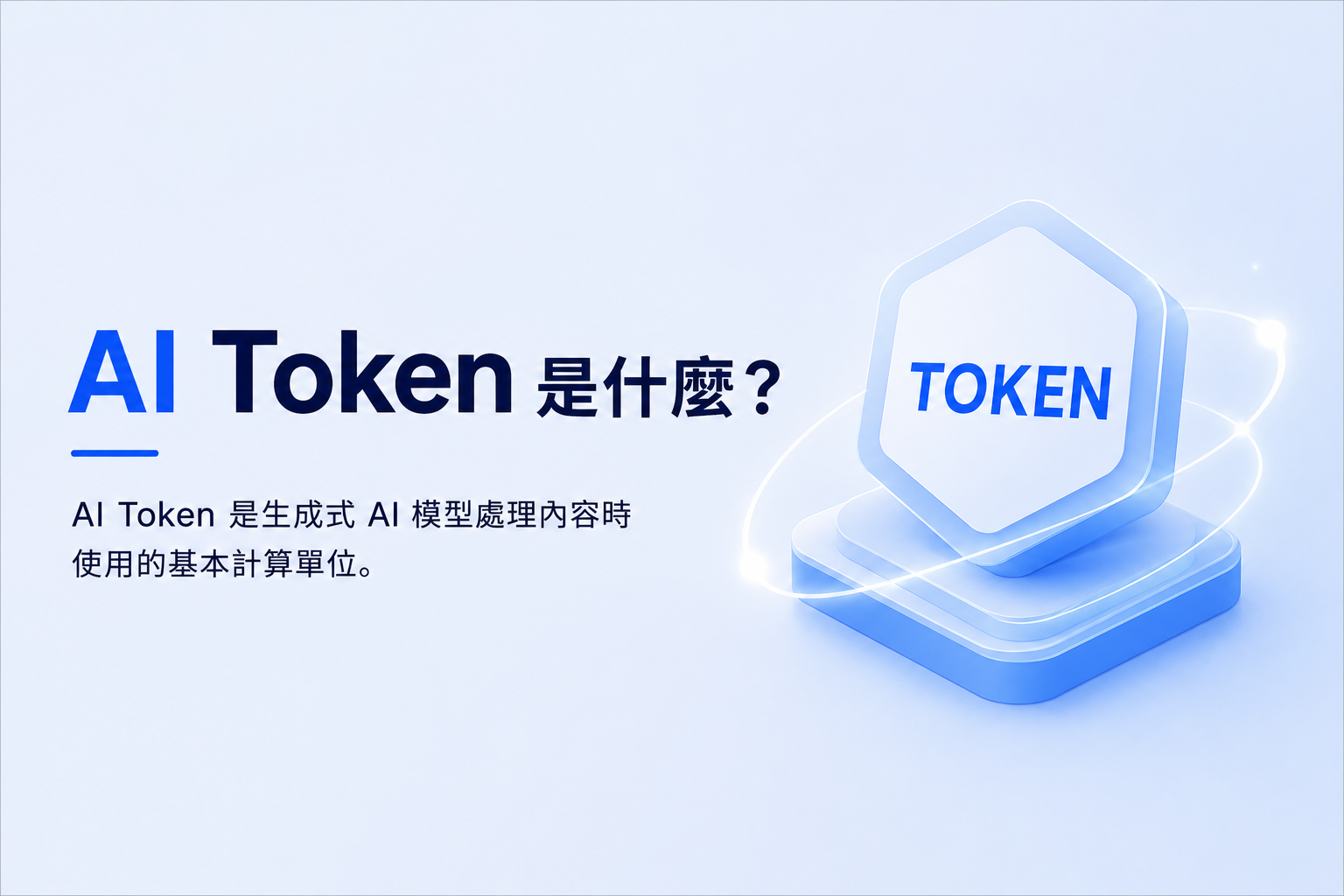
AI Token 是什麼?
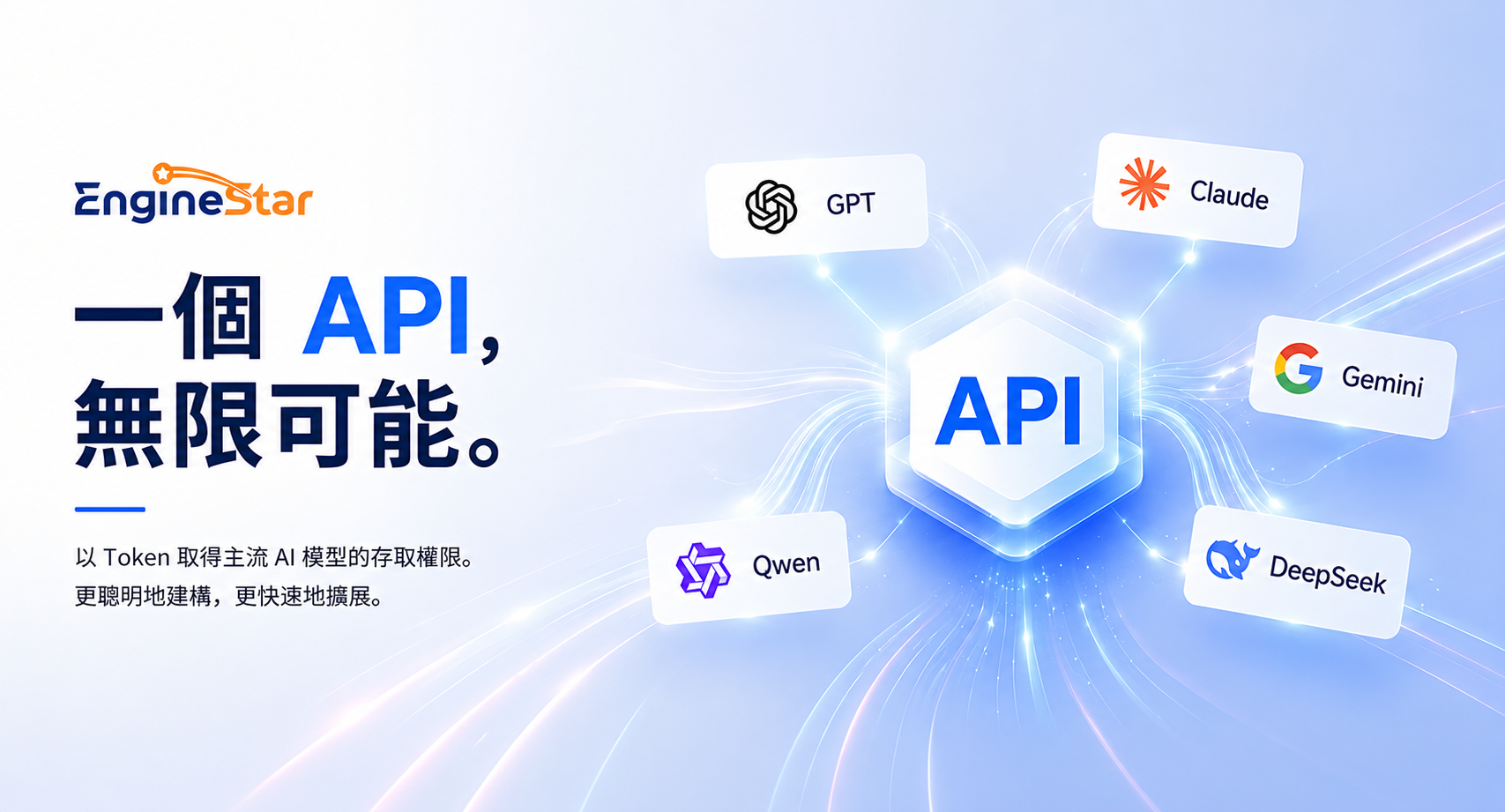
GPT, Claude, Gemini—One API Key for Multiple AI Models
Generative AI applications rarely rely on a single model. As enterprises integrate AI into customer service, content generation, software development, document processing, data analysis, and workflow automation, development teams must also manage multiple provider accounts, API keys, integration formats, usage records, and billing systems.
EngineStar AI Unified API provides a common access layer for supported AI models. Enterprises and developers can use one API key to access different models and pay for usage through a shared prepaid credit balance.
Instead of maintaining separate credentials, integrations, and payment processes for each provider, teams can focus on application development, model evaluation, and selecting the right model for each workload.
What Is an AI API?
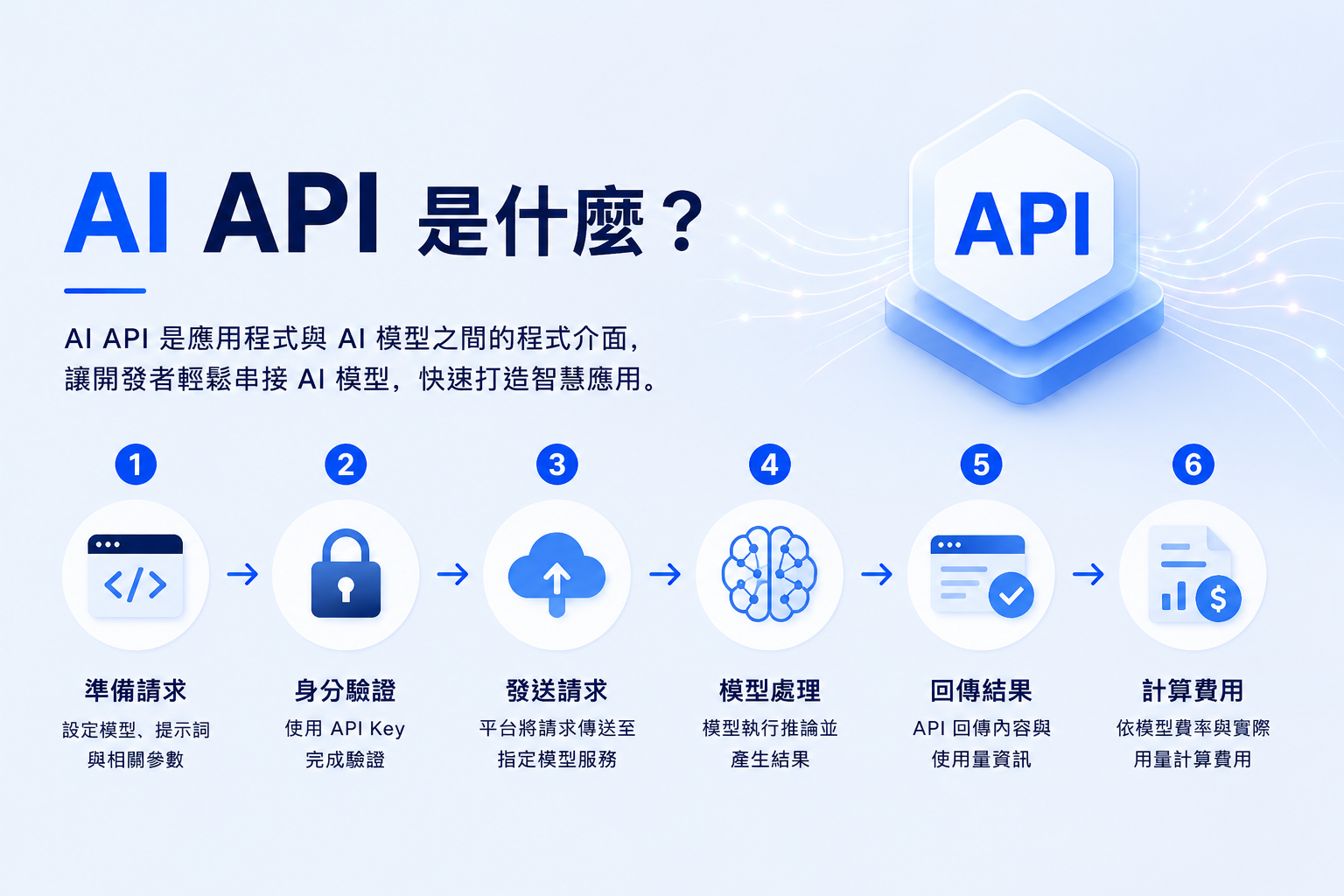
An AI API is a programming interface that connects an application to an AI model. The application sends supported input to the API, and the model returns a generated result.
A typical request works as follows:
- The application specifies the model, input, and parameters.
- An API key authenticates the request.
- The platform sends the request to the selected model service.
- The model performs inference.
- The API returns the result and usage information.
- The cost is calculated according to the model and actual usage.
AI APIs can power chatbots, AI agents, SaaS products, enterprise systems, RAG applications, document-processing tools, and workflow automation.
What Is the Difference Between Tokens and AI Credits?
Tokens measure model usage, while AI Credits are the account balance used to pay for that usage.
The process can be summarized as:
Add AI Credits → Call a Model → Generate Usage → Calculate Cost → Deduct Credits
Different models may charge different rates for input, output, and other billable items. The same prompt can therefore cost different amounts depending on the selected model.
Although the phrase “buy AI tokens” is commonly used, a more accurate description is:
Add API credits and use them to pay for model inference based on actual usage.
What Is a Unified AI API?
A Unified AI API provides a common access layer between an application and multiple supported AI models.
Without a unified layer:
Application → Provider A API
Application → Provider B API
Application → Provider C API
With EngineStar AI:
Application → EngineStar AI Unified API → Supported AI Models
A unified API simplifies access and management, but it does not make every model identical.
Models may still differ in:
- Context-window size
- Request and response formats
- Supported parameters
- Structured-output behavior
- Tool-calling capabilities
- Multimodal support
- Rate limits
- Pricing methods
Available models and features should always be verified through the current EngineStar AI model catalog and API documentation.
How Does EngineStar AI Simplify Multi-Model Access?
One API Key
Use one EngineStar AI API key to access supported models instead of distributing separate provider keys throughout the application.
Multiple AI Models
Choose models according to reasoning ability, context requirements, multimodal support, response speed, and cost.
One Shared Credit Balance
Pay for supported models through one prepaid balance instead of maintaining separate billing accounts with multiple providers.
Usage-Based Billing
After an API request is completed, the platform calculates the cost according to the selected model and actual usage, then deducts the amount from the available balance.
Why Use Multiple AI Models?
No single model is always the best choice for every task, performance target, and budget.
A development team may want to:
- Use a reasoning model for complex analysis
- Use a coding model for software-development tasks
- Use a long-context model for large documents
- Use a multimodal model for images and other content
- Use a smaller model for high-volume classification
- Compare models by quality, latency, and cost
A Unified AI API makes it easier to test supported models through a common access architecture rather than selecting a model simply because it was integrated first.
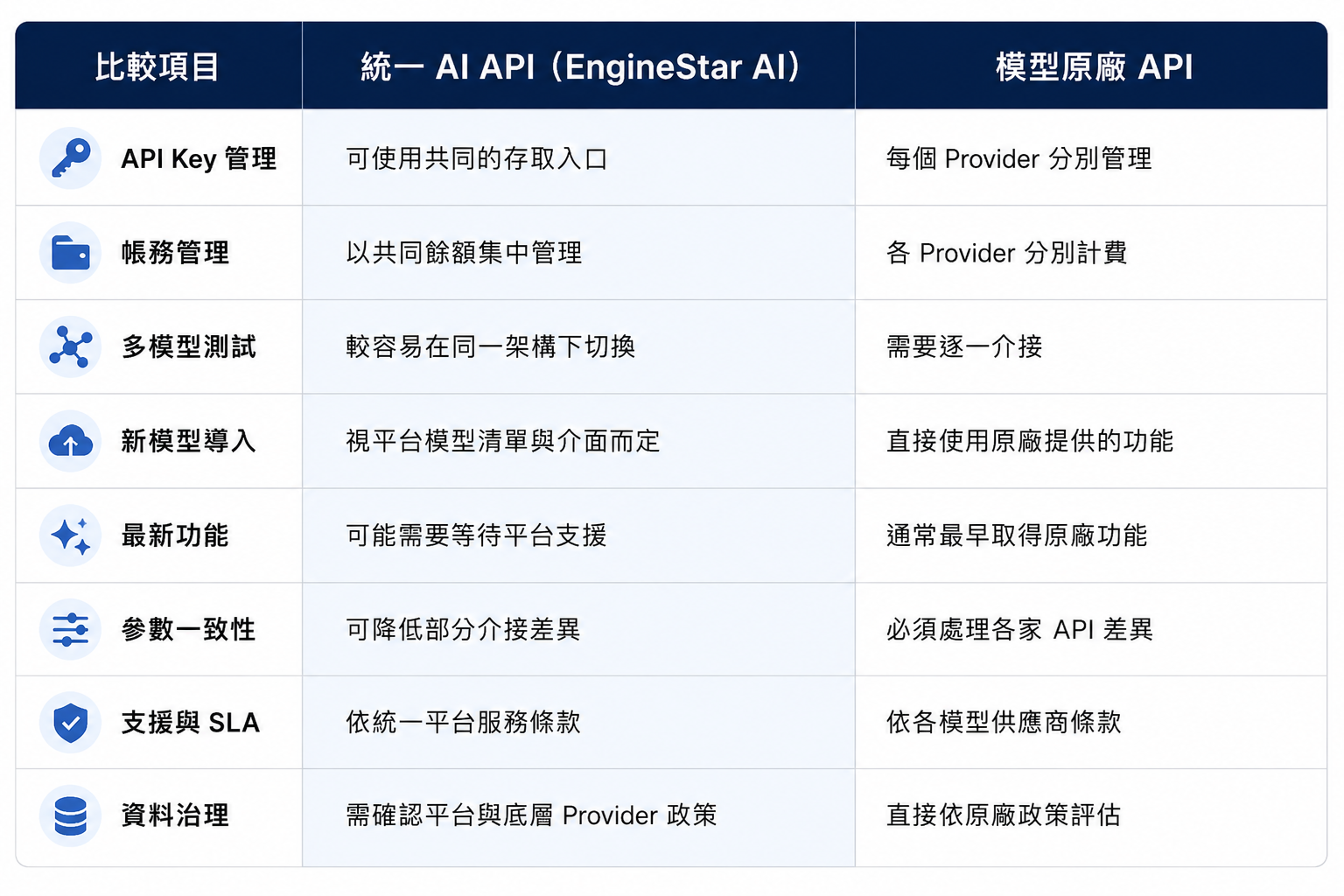
Unified AI API vs. Native Provider API
Neither option is automatically better. The right choice depends on product, governance, and technical requirements.
| Evaluation Area | Unified AI API | Native Provider API |
|---|---|---|
| API keys | Centralized platform access | Separate keys for each provider |
| Model access | Multiple supported models | Models from one provider |
| Billing | Shared platform balance | Separate provider accounts |
| Model testing | Easier within one architecture | Requires separate integrations |
| Latest features | Depends on platform support | Usually available from the provider first |
| Proprietary functions | May vary by platform | Usually provides complete native support |
| Best suited for | Multi-model testing and use | Deep reliance on one provider |
A Unified AI API is suitable for teams that prioritize flexible model selection and simpler key and billing management.
A native provider API may be preferable when an application depends heavily on proprietary features, the latest model capabilities, direct support, or a specific enterprise agreement.
Some organizations use both approaches for different workloads.
What Can You Build with EngineStar AI API?
AI Agents
Use models for reasoning, summarization, classification, tool selection, and workflow coordination.
AI SaaS Products
Add content generation, document analysis, intelligent search, conversational features, or coding assistance to software products.
Enterprise AI Tools
Build knowledge assistants, translation tools, document-processing workflows, and internal AI applications.
RAG Applications
Combine embedding and language models with document processing, retrieval, and vector databases to create knowledge-grounded AI systems.
Model Evaluation
Run the same task across different models and compare:
- Output quality
- Instruction following
- Response latency
- Token usage
- Cost per task
- Error rates
- Feature compatibility
What Should Enterprises Check Before Production Use?
Model Compatibility
Confirm support for the required context window, streaming, structured output, tool calling, embeddings, and multimodal inputs.
Cost Monitoring
Track the model used, input and output usage, cost per request, failed requests, retries, and daily or monthly spending.
API Key Security
Store keys securely, restrict access, separate environments, rotate credentials, and prevent complete keys from appearing in logs.
Data Governance
Before processing personal data or confidential documents, confirm where data is transmitted, whether prompts and responses are retained, which model providers are involved, and what service terms apply.
Reliability
Review rate limits, timeout handling, model-version changes, pricing updates, support options, and service availability. Critical applications should also define tested retry and fallback procedures.
Frequently Asked Questions
Is an AI token the same as an API key?
No. An API key authenticates API access, while a token measures the content processed or generated by a model.
Are AI Credits the same as tokens?
No. AI Credits are the account balance used to pay for API usage. Tokens and other billing units measure usage.
Can one API key access multiple AI models?
Yes, when the Unified AI API supports multi-model access. Available models and features depend on the platform’s current catalog.
Do all AI models have the same token price?
No. Input, output, caching, reasoning, and multimodal usage may have different rates depending on the model.
Is a Unified AI API always less expensive?
Not necessarily. Its main benefits are simpler multi-model access, integration, key management, and billing. Actual costs depend on the models and usage volume.
Who Should Use EngineStar AI API?
It is suitable for developers and enterprises building AI agents, SaaS features, internal tools, RAG applications, workflow automation, or products that need to evaluate multiple models.
One API Key for Multiple AI Models
EngineStar AI brings model access, API authentication, and prepaid credits into a common architecture.
Teams can select supported models according to each workload and pay based on actual usage without maintaining separate accounts, API keys, and payment processes for every provider.
One API Key. One Credit Balance. Multiple AI Models.
[Start Building with EngineStar AI →]
